How to Cancel Sky TV in the UK
For many UK households, the Sky bill becomes harder to ignore once premium channels, add-ons and package changes push the monthly cost higher. At some point, one question naturally comes up: is Sky TV still worth what you are paying for it?
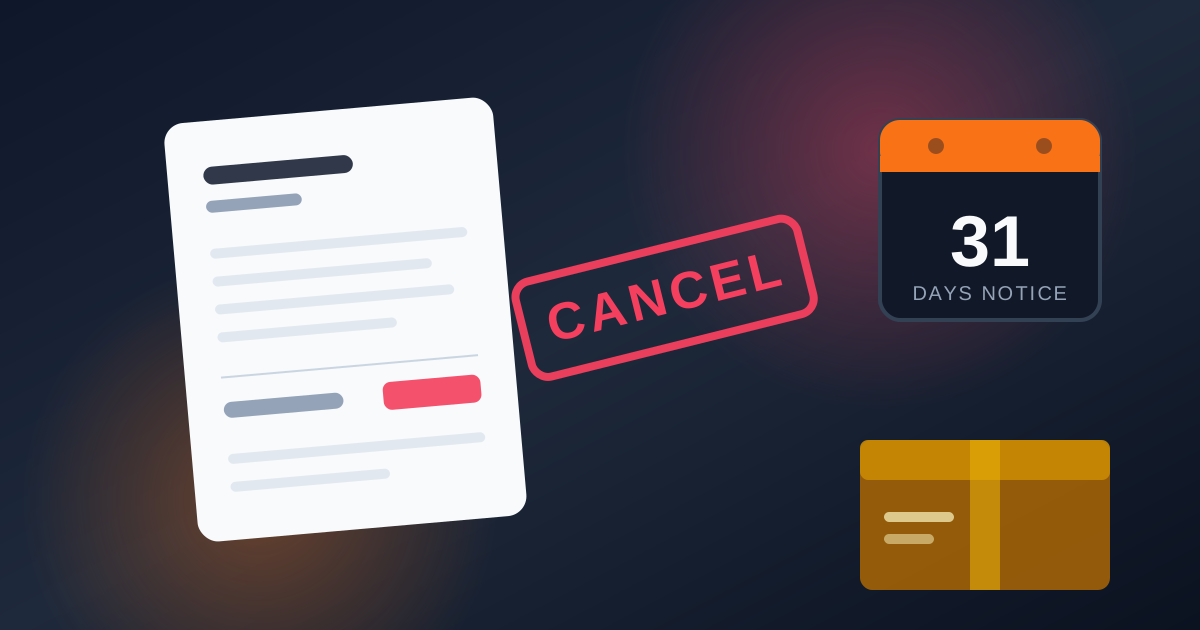
Ofcom says 34% of UK homes took a traditional pay TV subscription in Q3 2025, as services like Netflix, Disney+, NOW, Freeview and Freely offer viewers more flexible ways to watch. If you are planning to leave Sky, knowing where you stand with your contract, your cancellation options and the rules around equipment could save you money and prevent problems down the line.
Check Your Sky Contract Before Cancelling
Before contacting Sky, check your agreement in My Sky. Most Sky products come with a 12- or 24-month minimum term, depending on the deal you accepted. Sky Stream can also be taken on a 31-day rolling plan, which gives customers more flexibility than a long fixed term.
If Your Minimum Term Has Ended
Once the minimum term is over, cancelling is much simpler. Sky TV normally requires 31 days’ notice, and the service continues until the confirmed end date. There is usually no early termination charge once the minimum term has finished. Your channels stay active during the notice period, so channels and subscription features keep working normally until the end date.
If You Are Still in Contract
Leaving during a minimum term may trigger an Early Termination Charge, often shortened to ETC. Sky does not simply multiply your normal monthly bill by the number of months left. The calculation can depend on the time remaining, the services being cancelled, the price you currently pay and any discounts attached to the package.
Ask for the figure first
Ask Sky for the exact ETC before agreeing to cancel early. Sky Stream customers should also check whether they are on a 31-day rolling plan or a longer deal — a rolling agreement is much easier to leave than a fixed minimum-term package. Sky TV early termination charges can be taken upfront when the cancellation is processed.
What If Sky Has Increased Your Price?
A price rise does not automatically give every customer the right to leave for free. Ofcom changed the rules for new telecoms and pay-TV contracts from 17 January 2025. Planned price rises now need to be shown clearly in pounds and pence rather than being linked to inflation formulas such as CPI plus a percentage.
If Sky applies a rise that was not properly set out when you joined, your rights may be different. Compare the original contract with the price-rise notice before paying an exit charge. Avoid relying on old claims that a rise above "CPI plus 3.9%" automatically creates a penalty-free exit. That figure was widely used in pricing formulas, but it was not a universal legal ceiling.
Recently Joined Sky?
Sky gives eligible UK TV customers an enhanced 31-day cooling-off period. The exact start date can depend on the product, delivery or installation, so check your order confirmation if you have only recently joined.
Cancel Sky TV by Phone: 5 Steps
Calling Sky is one of the most direct ways to cancel, especially if you want to ask about charges or package changes at the same time. Sky lists 03442 414 141 as a UK customer-service number. Have your account details ready before calling so the adviser can verify the account without unnecessary delays.
- 1
Call Sky on 03442 414 141
Keep the account holder’s name, address and security details nearby. Your Sky account number appears on a bill and can also be found through My Sky. Sky uses the number for general customer service rather than as a cancellation-only line, so follow the prompts for account or cancellation help.
- 2
Say clearly that you want to cancel
Keep the opening simple: "I’d like to cancel my Sky TV subscription." Clear wording matters. Saying you are only "thinking about cancelling" can turn the call into a package review rather than a cancellation request.
- 3
Complete the security check
Sky needs to verify who the account holder is before they can make any changes. If there is someone else in the house who usually deals with the account, ensure the person calling has the information they need to get through security.
- 4
Consider any offer carefully
The adviser may ask why you are leaving and may discuss a cheaper package, discount or another account option. There is nothing wrong with listening to an offer if price is the main reason for leaving. Ask what the new monthly price will be, when the discount ends and whether accepting the offer starts another minimum term. If the offer still does not suit you, keep the reply simple: "I’ve decided to leave, so please continue with the cancellation."
- 5
Confirm the end date
Before hanging up, ask for the exact service end date and any reference number available. Keep the written confirmation until the account has fully closed. It is also sensible to note the date and time of the call and the adviser’s name in case a later bill does not match what was agreed.
How to Cancel Sky TV Online via My Sky or Live Chat
If you prefer not to make a phone call, start with My Sky. Online contact can also be useful because you have a written record of the conversation.
- 1
Sign in to My Sky
Go to sky.com/mysky or open the My Sky app using the Sky iD linked to your account. If you have forgotten the password, use the reset option on the sign-in screen. Make sure you use the Sky iD attached to the account you want to change.
- 2
Open your TV account
Review the TV services attached to the account before starting the cancellation. My Sky also lets customers view up to two years of previous bills and estimates for the next three bills.
- 3
Open Sky’s TV cancellation help
Sky provides separate guidance for Sky Q, Sky+, Sky Glass and Sky Stream. Choose the route that matches the equipment or service in your home. Do not worry if there is no obvious "Cancel Subscription" button — some accounts are directed towards messaging or another contact channel instead.
- 4
Use live chat or messaging
If chat appears, stay in the conversation until the request has been dealt with. The adviser may need to verify the account before making changes. Save any important messages or take screenshots before closing the chat. If a reference number is shown, keep it with the rest of your cancellation records. A written trail is useful if a later bill or service date does not match what was agreed.
No online cancellation option?
If no self-service cancellation option appears, use Sky’s messaging service, online cancellation form or another official contact route.
Cancel by Email or Post
If you want a fully written route, Sky also accepts cancellation requests by email or post. Include the account holder’s full name, address, account number if available, the service you want to cancel and a clear request to end it. Keep a copy of the email or proof of postage.
Sky says it aims to reply to written cancellation requests within five days, and the notice period starts when Sky receives the request rather than when you write the letter. Written cancellation is slower than a phone call or live chat, but it can suit anyone who wants a clear paper trail from the start.
After Cancellation: Bills, Equipment and Access
Once Sky accepts the cancellation, a few practical jobs remain.
Your Service Keeps Working Until the End Date
Channels and subscription features normally remain available until the confirmed end date. Sky Q users should finish any recordings they care about before the equipment goes back. Once the box is returned, recordings stored on it are no longer available to you.
Return Sky-Owned Equipment
Equipment rules depend on what you have at home. Sky Q boxes and Mini boxes belong to Sky and normally need to be returned after the subscription ends. Current non-return charges can reach £117 for a 1TB Sky Q box, £135 for a 2TB box and £52 for a Mini box.
Sky Stream customers need to check when the puck was supplied. Pucks provided after 23 February 2023 are generally Sky-owned. Customers normally have 60 days after a standard cancellation to return them, and an unreturned puck can carry a £38 charge. Pucks ordered before 23 February 2023 are generally customer-owned and do not need to be sent back.
Sky Glass works differently. Cancelling Sky TV does not cancel any money still owed for the television. If the TV was bought through a credit agreement, repayments continue until the balance is cleared unless you pay it off early. The satellite dish is not normally part of the equipment return and is generally left in place. Sky Q customers moving home are also normally told to leave the old dish behind. Always keep proof of postage for anything returned to Sky.
Check Your Final Bill
Sky TV is billed in advance, so the last statement can look different from a normal monthly bill. If the account finishes in credit, Sky says refunds are normally returned to the bank account after 45 days.
Do not cancel the Direct Debit early
Keep the Direct Debit active until the final balance has been settled. Stopping it too early can turn an ordinary final payment into a missed payment and create unnecessary problems. Wait until the account balance is clear before cancelling the mandate.
What Happens to Sky Go, Stream and Glass?
Access linked to the paid Sky TV package ends with the subscription. Sky Go will no longer provide the paid channels attached to the cancelled TV package. A Sky Stream puck will not work normally without an active Sky TV subscription. Sky Glass can still be used as a regular smart TV — apps such as BBC iPlayer, ITVX and Netflix can continue to work, and devices such as games consoles can still be connected through HDMI. Sky channels, Playlist and other subscription features are removed.
What to Watch Instead of Sky in 2026
Leaving Sky does not mean giving up live TV, films or sport. The best replacement depends on what your household actually watches.
Freeview
FreeFreeview has no monthly subscription and offers more than 100 channels, depending on coverage at your address. Freeview Play adds more than 60,000 hours of on-demand television on compatible devices, alongside major UK catch-up services. Freeview suits households focused on everyday UK channels; premium sport and cinema are the main gaps.
Freely
FreeFreely is a useful option for people who want free television over Wi-Fi rather than through a satellite dish. It provides live and on-demand television on compatible sets with no separate monthly subscription. A TV Licence is still required for live television and BBC iPlayer.
NOW
FlexibleNOW is owned by Sky and can suit viewers who still want Sky entertainment, movies or sport without a full traditional Sky TV package. Flexible 2026 prices include around £7.99 a month for Entertainment, £9.99 for Cinema and £34.99 for Sports. A Sports Day Membership can also make sense if you only want a single event rather than a full month.
Netflix, Disney+ and free streaming
On demandIf your household mostly watches films and box sets, a smaller group of streaming services may cover more of what you actually use. Disney+ starts at £5.99 a month for its ad-supported plan. Subscribe to what you are watching rather than keeping every platform active all year — five small monthly payments can quickly become another large TV bill.
IPTV simply means television delivered over the internet. Legitimate services such as NOW and Freely already rely on internet delivery. The risk comes from providers selling premium channels or sport without the necessary rights. Extremely cheap packages should be checked carefully. Look for clear company information, legitimate content rights, transparent pricing and normal payment protections before subscribing. A low price alone is not enough to judge whether an IPTV service is legitimate or reliable. Our IPTV vs Netflix comparison explains where each format fits.
At a Glance: Best Sky TV Alternatives in 2026
| Alternative | Typical cost | Best for | Commitment |
|---|---|---|---|
| Freeview | Free | Everyday UK live TV | No contract |
| Freely | Free | Live TV over Wi-Fi | No contract |
| NOW Entertainment | £7.99/month | Sky entertainment | Monthly |
| NOW Sports | £34.99/month | Sky Sports | Monthly |
| Disney+ | From £5.99/month | Films and series | Monthly |
| IPTV services | Varies | Internet-delivered TV | Depends on provider |
Frequently Asked Questions
Can I cancel Sky TV but keep Sky Broadband?+
Yes. Sky TV and Sky Broadband are separate services. Ending TV does not automatically cancel Broadband, although bundle discounts may change. Check the new monthly broadband price before confirming the change.
Can I remove Sky Sports or Sky Cinema without cancelling everything?+
Often, yes. Premium packs can sometimes be removed separately while the main Sky TV service stays active. If Sports or Cinema is part of a discounted minimum-term package, ask whether removing it changes another discount or creates a charge.
Can I keep my Sky email address after cancelling?+
Cancelling Sky TV does not automatically delete a Sky Yahoo Mail account. Sky says inactive mailboxes may be deleted after 12 months without use and recommends signing in regularly if you still rely on the address.
Do I need to cancel Sky if I am moving house?+
Not necessarily. Sky offers a Home Move service. Sky Q customers normally leave the old dish behind and take the relevant equipment with them. Sky Glass and Sky Stream customers can usually take their equipment to the new property and update the address. If broadband is moving too, book early enough to reduce the risk of arriving without a working connection. Sky has listed a £50 move fee for some customers who are not eligible for a free move through Sky VIP.
Do I still need a TV Licence after cancelling Sky?+
Possibly. From 1 April 2026, a UK colour TV Licence costs £180 a year. You still need one if you watch or record live television on any channel or streaming service, or if you use BBC iPlayer. If you only watch on-demand content on services such as Netflix or Disney+ and never watch live TV or BBC iPlayer, a licence is generally not required.
What if the Sky account holder has died?+
Sky handles bereavement separately from an ordinary cancellation. The account can be closed or transferred to a partner or next of kin through Sky’s bereavement support.
Next step
Final Thoughts
Cancelling Sky TV is really about deciding whether the service still earns its place in your monthly budget. Ofcom found that around three-quarters of UK pay-TV households bought TV as part of a bundle in June 2025, so compare the full household cost rather than looking at the TV line alone.
If Sky offers a better deal, judge it by the yearly saving. £15 less a month means £180 over a year, while £25 means £300. Freeview, Freely, NOW and streaming services can cost less, but several small subscriptions can quickly become another expensive bundle. Keep the services you actually use and cut the ones you do not.
Related Guides
Keep reading before you decide what to buy.
IPTV vs Netflix UK
Do you press play, or tune in? A straight comparison of live channels against on-demand box sets — on content, setup, trust and 2026 running costs.
How to Watch Sky Sports Without Sky TV
NOW, Sky Stream, independent IPTV, the pub, or free-to-air — five routes to live sport compared on total cost, contract length, picture quality and screens.
Best Android TV Box for IPTV UK
Premium, mid-range and budget Android boxes compared on RAM, storage, Ethernet and certification — with the main drawback and a clear “buy if” for each one.